
exocad · CAD
PartialCAD 3.3 Chemnitz: features, system requirements & setup
Partial-denture and split-denture design for digital dental laboratories.
Guide updated · Independent software support
Available for authorised installation and setup; licence and build compatibility to be confirmed
What is PartialCAD used for?
Partial-denture and split-denture design for digital dental laboratories. Dental laboratories producing removable partial frameworks and implant-based split dentures.
Confirm DentalCAD integration, material thickness and production exports.
PartialCAD features and edition differences
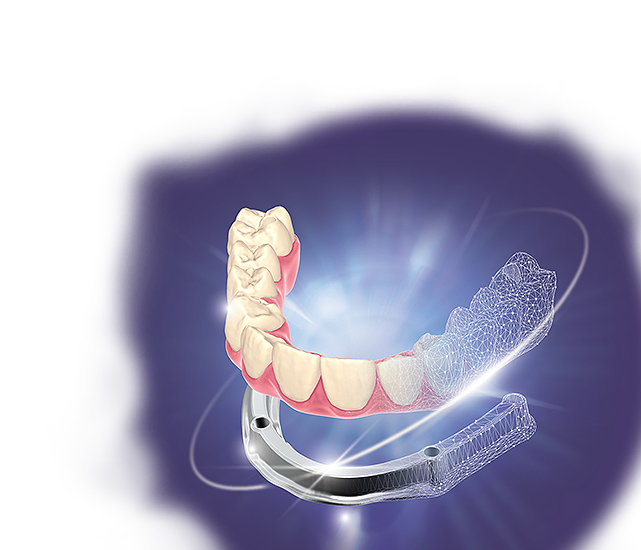
- Guided split-denture workflows generate a fitting underlying bar.
- Bar-plane controls, improved posts and gingiva-thickness tools refine designs.
Reusable settings help standardise recurring split-denture cases.
Licensed modules and packages
The automated split-denture workflow requires PartialCAD, Implant Module and Bar Module entitlements.
PartialCAD hardware and system requirements
Current exocad family guidance; confirm the requirements of your installed release.
| Component | Minimum or required check | Recommendation or preparation |
|---|---|---|
| Operating system | Windows 11 24H2 / 25H2 | Windows 10 22H2 only with ongoing security updates such as ESU |
| Processor | Intel / AMD x64; four cores at 2.8 GHz | Intel i5-10400 or Ryzen 5 3600 for a cost-effective system |
| RAM | 8 GB | 16 GB; 32 GB for heavier concurrent workflows |
| Graphics | 4 GB VRAM; CUDA 3.0 or OpenCL 1.2 | Dedicated NVIDIA or AMD card; RTX 2060 / RX 5600 XT examples |
| Display | 1920 × 1080 at 100% scaling | Higher resolution when increasing display scaling |
| Connectivity | Internet and a free USB port for the licence dongle | Confirm dongle access before a remote setup session |
Apple Silicon, ARM emulation and virtual machines are unsupported. PartialCAD does not support Intel integrated graphics. Allow project storage beyond the installer.
Manufacturer requirements can change. Minimum specifications are not a performance guarantee for large cases, multiple applications or connected equipment. SSD storage and a tested backup are our preparation advice unless stated in the manufacturer guidance.
Compare requirements across the software cataloguePrepare for PartialCAD installation
Check partial-framework export and downstream CAM acceptance; the current family guidance excludes Intel integrated graphics for PartialCAD.
- Record your exact release, licensed modules and intended workflow.
- Share your OS build, CPU, RAM, GPU/VRAM and free disk space for a workstation check.
- Installation and setup service only. A valid manufacturer-authorised licence and the selected module entitlements are required; software licences, subscriptions and usage charges are purchased separately.
- Back up case files, settings and libraries; agree a recovery plan before an upgrade.
- Confirm import/export and connected-equipment tests with a representative case before production.
Service price and licence costs
View the current consultation and installation fee in the service panel. Manufacturer licences, subscriptions, export credits, and optional modules are separate unless explicitly included in your confirmed quotation. The service fee is per workstation; scope is agreed before work starts.
PartialCAD questions
Can I use PartialCAD on my current laptop or Mac?
The published platform guidance is Windows. Apple Silicon, ARM emulation and virtual machines are unsupported. PartialCAD does not support Intel integrated graphics. Allow project storage beyond the installer. Compare your hardware with the table above.
What should I check before connecting PartialCAD to my workflow?
Check partial-framework export and downstream CAM acceptance; the current family guidance excludes Intel integrated graphics for PartialCAD.
Does the service include a PartialCAD licence?
Manufacturer licences, subscriptions, export credits, and optional modules are separate unless explicitly included in your confirmed quotation. Installation and setup service only. A valid manufacturer-authorised licence and the selected module entitlements are required; software licences, subscriptions and usage charges are purchased separately.
Official PartialCAD resources and manufacturer sources
Use current manufacturer documentation and your authorised supplier to confirm release requirements and entitlements.
Browse associated product resources